
Healthcare providers and clinics use Remote Patient Monitoring (RPM) to read patient vitals from home without patients being present in the clinics. Knowing the correct RPM CPT codes is essential for providers because, without proper use of CPT codes for RPM in 2026, the insurance companies may reject your medical claims.
It is also important to keep your practice up to date because Medicare changes its billing rules quite often. To protect your monthly reimbursement, you must track the right CPT codes for Remote Patient Monitoring.
This guide simplifies the necessary paperwork, audit risks, and main differences separating Remote Patient Monitoring (RPM), Chronic Care Management (CCM), and Principal Care Management (PCM) programs.
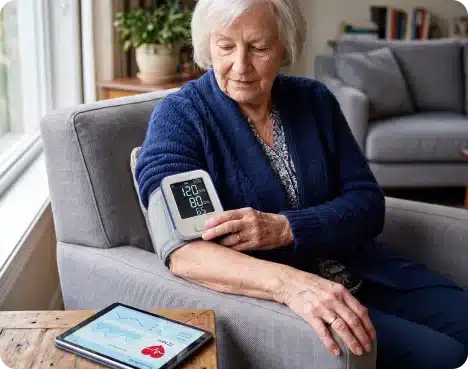
Clinics and practices use Remote Patient Monitoring to check on their patients while they are away from a clinic visit. What happens during this phase is that patients use simple medical tools to send the numbers about their health directly to their medical teams. These medical devices are blood pressure monitors, blood sugar machines, and weight or oxygen level monitors.
This approach gives doctors steady updates between regular office visits. Seeing these daily numbers helps teams catch health changes fast, fix prescriptions early, and help people manage long-term issues like high blood pressure or diabetes.
Practices using Medicare RPM options can give steady care and get paid for their time. If you want to start a program, explore MediRemote’s Remote Patient Monitoring solutions to see how your practice can improve patient outcomes and streamline remote care.
Our remote care programs help healthcare organizations extend clinical support beyond the office through continuous monitoring and proactive patient engagement.
Learning these codes is the first step if you want to run a legal tracking program. Each code pays for a different task, like setting up the tools, checking the daily numbers, or calling the patient.
Here are the main codes clinics use right now:
| CPT Code | Description |
| 99453 | Initial setup, device onboarding, and patient education |
| 99445 | Device supply and data transmission for shorter monitoring periods (2–15 days within a 30-day period) |
| 99454 | Device supply and data transmission for ongoing monitoring (16+ days within a 30-day period) |
| 99470 | First 10 minutes of Remote Patient Monitoring treatment management |
| 99457 | First 20 minutes of interactive RPM treatment management services |
| 99458 | Each additional 20 minutes of RPM treatment management services |
| 99091 | Physician or qualified healthcare professional collection, interpretation, and review of patient-generated health data |
You bill this code just one time when a patient joins the program. It pays for your staff to hand over the device, explain how to turn it on, and show the patient how to send their numbers to your clinic.
To get your payment, your daily notes just need to show that the patient agreed to join, took the tool home, and finished the training. Spending a few minutes on this early stops patients from giving up later and prevents missing data.
This code pays for the tracking tool and the monthly data sent to your clinic. It covers cellular blood pressure cuffs, blood sugar meters, scales, and pulse oximeters that send numbers straight to your system.
To bill this code every 30 days, the patient must upload readings on at least 16 separate days. You must keep the electronic software logs that prove the device sent the numbers. Seeing these daily charts lets your team catch bad trends early and change prescriptions before a patient ends up in the hospital.
This code pays for the first 20 minutes your clinical team spends managing a patient's care from afar each month. It covers the time spent looking over the numbers, adjusting care strategies, and talking directly with the patient about their health.
Unlike the device codes, this one focuses strictly on the work your staff does to help the patient. To claim this payment, you must log the exact amount of time spent, write down what you discussed, and note any changes made to the patient's treatment plan.
Using this code properly helps your practice stay ahead of chronic health issues while keeping your billing perfectly in line with Medicare rules.
This 2026 code pays for the home tool when a patient only sends numbers for 2 to 15 days a month. It stops insurance from rejecting your claim if a patient misses the old 16-day goal or only needs tracking for a week after leaving the hospital. You just need software logs proving the tool sent data on at least 2 days to get paid.
This code pays for the first 10 minutes your team spends reviewing charts and talking to a patient during the month. It is built for quick clinical check-ins that fall short of the standard 20-minute mark. You just need to log the exact time and your care notes to get paid for shorter support.
This is a code you add to your monthly bill. You use it when your staff spends more than the first 20 minutes helping a patient in one month. It pays for the extra time you spend looking at their daily charts, talking to them on the phone, or changing their care plan.
Most clinics use this when a patient gets sicker or has a bad week. If someone's blood pressure keeps going up, you have to watch their numbers much closer than usual. To get paid for this extra work, you must write down the exact minutes you spent and what you did. You cannot just guess the time.
Using this code makes sure your clinic gets paid for the extra work when a sick patient takes up a lot of time.
This code pays specifically for a physician or qualified healthcare provider to analyze patient-generated health data. Unlike codes that cover broader clinical staff time, 99091 requires the licensed provider to personally review the charts.
To bill this code, you must spend at least 30 minutes in a month reviewing the data and making medical decisions. Your records must log the exact time spent and detail any care plan updates resulting from the review.
Family medicine practices rely on Medi Remote for operational support that helps remote care programs stay organized. From patient enrollment and engagement to documentation and billing support, we help reduce administrative work while your providers remain focused on delivering quality patient care.
Generally, these services must be billed by:

Your regular clinic staff can still do the daily tracking work and call patients, but they must do it under the direct supervision of one of the main providers listed above. To protect your payments, the practice must get the patient’s okay before starting, use the right equipment, and write down every step of the process.
Knowing who is allowed to bill is the best way to set up a clean tracking program. When you handle the paperwork right, you can give your patients steady help at home without worrying about unpaid claims.
Medicare RPM reimbursement depends on CPT codes, service requirements, documentation accuracy, and compliance with applicable billing guidelines for providers.
| CPT Code | Service Covered | Billing Frequency |
| 99453 | Initial device setup, patient onboarding, and education | One-time billing |
| 99445 | Device supply and data transmission for shorter monitoring periods (2–15 days within a 30-day period) | Monthly when requirements are met |
| 99454 | Device supply and data transmission for ongoing monitoring (16+ days within a 30-day period) | Monthly when requirements are met |
| 99470 | First 10 minutes of RPM treatment management services | Monthly when requirements are met |
| 99457 | First 20 minutes of interactive RPM treatment management | Monthly when requirements are met |
| 99458 | Additional 20 minutes of RPM treatment management | Monthly add-on when requirements are met |
| 99091 | Physician or qualified healthcare professional review and interpretation of patient-generated health data | Based on applicable billing requirements |
Reimbursement amounts vary by location, payer policies, and CMS updates, so providers should verify current rates before submitting RPM claims.
Understand the CPT codes, billing requirements, and documentation needed to run compliant and revenue-generating remote care programs.
Following the right RPM billing guidelines is the only way to protect your practice from claim denials and audit failures. Remote tracking brings great value to your clinic, but you will not get paid unless your paperwork is perfectly accurate.
Before you submit any monthly claims to insurance, your electronic records must show clear proof of these seven things:
A written or digital note proving the patient formally agreed to the tracking program before it started.
Clear documentation from the provider showing exactly why the patient needs home monitoring for their condition.
The date you handed over the gear and proof that a staff member trained the patient on how to use it.
The automated electronic logs showing the exact days the tool uploaded readings to your system.
A precise timer log tracking the minutes your team spent reviewing charts and managing the patient’s data.
Notes detailing the mandatory live phone or video chat between your care team and the patient during the month.
Written records of any treatment changes, medication tweaks, or follow-up plans made based on the home readings.
Keeping these logs organized proves that your team actually did the work and met every billing requirement. A solid routine around this paperwork protects your revenue while making it easier to take good care of your patients at home.
Remote tracking lets you watch patients outside the clinic. But a successful program needs perfect coding, tight paperwork, and a strong grip on Medicare’s changing rules to keep your practice safe.
Mastering 2026 CPT codes prevents denied claims. Partnering with MediRemote simplifies this workflow by providing the cellular devices, software, and backend support needed to protect revenue and improve patient outcomes.
Stay informed with practical insights on RPM, CPT codes, Medicare billing, reimbursement, and chronic care management.
No, it is one or the other. Use 99445 if they only track for 2 to 15 days. If they hit 16 days, drop it and bill 99454 instead.
Yes. You cannot bill this code on background chart review alone. Someone on your team has to actually get the patient on a live phone call or video chat that month.
No. While staff can do the daily tracking for other codes, 99091 is strict. The actual MD, NP, or PA has to personally look at the data and log the time.
No, you are fine. The initial consent covers the remote monitoring program as a whole. You do not need a new form just because you added a scale or blood pressure cuff.
Yes, Medicare allows it, but do not double-dip. The two programs must target different health problems, and you have to keep your staff time logs completely separate so they do not overlap.