Remote Patient Monitoring (RPM) provides a method to monitor patients’ health-related data for healthcare providers between office visits. It allows physicians to track vital signs, identify concerning changes, and make informed care decisions using data collected through connected medical devices.
RPM is not just about purchasing monitoring software; healthcare practices also need to manage the patient enrollment process, technical support, and documentation related to billing.
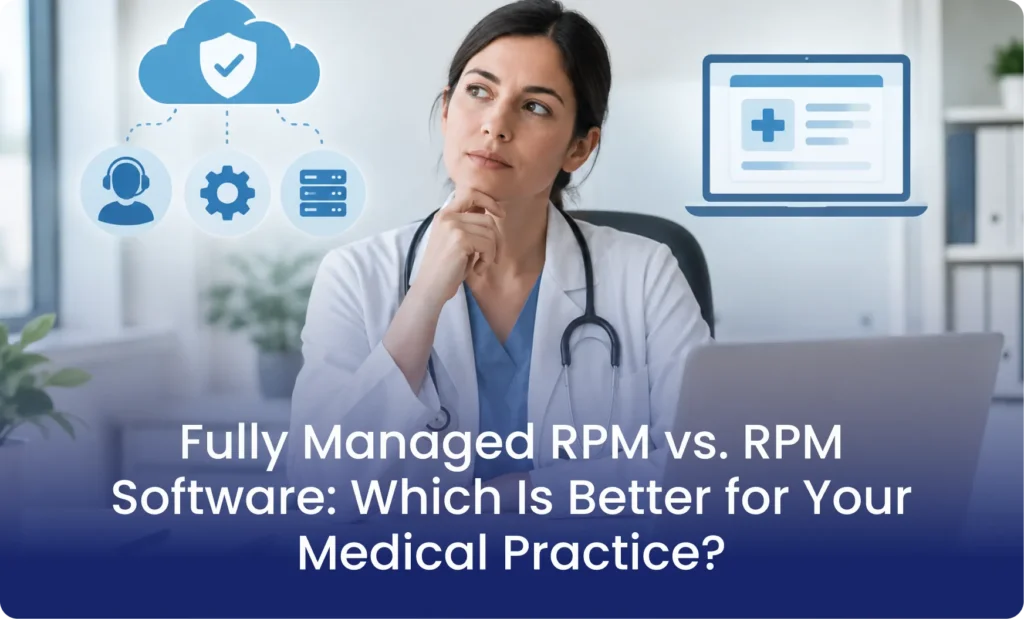
This creates an important decision for healthcare organizations: Fully Managed RPM vs. RPM Software. Both models use technology to collect and transmit patient health data. However, they differ in how much operational responsibility stays with the medical practice.
We are going to break it down in simple steps so that healthcare practices can easily understand which is best for their practice.
The Difference You Have to Understand Between Fully Managed RPM vs. RPM Software?
The main difference between Fully Managed RPM vs. RPM Software is the level of operational support provided to the medical practice.
Fully managed RPM services combine monitoring technology with operational services. Depending on the provider agreement, these services can include device logistics, patient onboarding, technical assistance, missed-reading reminders, data review support, and billing documentation.
Here is a quick comparison:
| Comparison Factor | RPM Software | Fully Managed RPM |
| Technology | Provides monitoring software | Provides software and operational support |
| Device logistics | Usually managed by the practice | Provider can manage device distribution |
| Patient enrollment | Practice handles enrollment | Service team can assist with enrollment |
| Patient onboarding | Practice trains patients | Coordinators can provide onboarding calls |
| Technical support | Practice or software vendor | Dedicated support team |
| Missing readings | Practice follows up | Service team can contact patients |
| Data management | Practice manages monitoring workflows | Service team supports data review and escalation |
| Billing documentation | Practice prepares and verifies records | Provider can organize monitoring documentation |
| Clinical decisions | Remain with the treating practitioner | Remain with the treating practitioner |
| Staff workload | Depends on internal staffing | Reduces assigned operational responsibilities |
What Does RPM Software Provide to a Medical Practice?
RPM software provides the digital infrastructure required to operate a remote monitoring program. It connects medical devices with a platform where healthcare teams can access patient readings and monitoring records.
The clinical team can then review the available information and determine whether further action is necessary.
Patient Monitoring and Data Collection
RPM software collects physiological measurements from connected medical devices. Depending on the patient’s condition, these measurements can include:
- Blood pressure readings for patients with hypertension.
- Blood glucose measurements for patients with diabetes.
- Body weight measurements for patients with heart failure.
- Oxygen saturation readings for patients with respiratory conditions.
The platform organizes incoming readings and makes patient information accessible to authorized healthcare personnel.
Monitoring Dashboards and Alerts
Software dashboards allow staff to view patient readings and use the readings to identify trends and review measurements outside established thresholds.
Alert functionality also helps identify readings that require attention. However, an alert does not automatically represent a medical emergency or replace clinical assessment.
Reporting and Documentation
RPM software can organize patient readings, transmission records, and monitoring activity. Some platforms also include time-tracking features and billing reports. These functions help practices prepare supporting documentation for applicable RPM claims.
What Software Does Not Automatically Handle
A software subscription does not necessarily include the people and processes required to operate an RPM program. Unless these services are specifically included, the practice remains responsible for:
- Identifying appropriate patients.
- Obtaining and documenting patient consent.
- Distributing monitoring equipment.
- Educating patients about device use.
- Resolving patient connectivity issues.
- Following up on missing readings.
- Reviewing and escalating alerts.
- Maintaining accurate billing documentation.
This distinction is central to understanding Fully Managed RPM vs. RPM Software.
Software provides the infrastructure, but your practice still needs an operational team to run the program.
What Does a Fully Managed RPM Service Include?
A fully managed RPM service combines monitoring technology with operational assistance. Instead of purchasing software and assigning every supporting task to existing employees, the practice works with an external RPM partner.
The service provider company handles all the operational responsibilities, and the physician has the authority over all the clinical-related decisions.
A managed RPM arrangement can include the following services.
- Patient Enrollment and Onboarding
- Device Distribution and Technical Support
- Patient Communication and Missed-Reading Follow-Ups
- Daily Data Review and Escalation Support
- Billing Documentation and Time Tracking
Fully Managed RPM Service vs Software: A Detailed Comparison
Understanding individual features is useful, but healthcare administrators also need to understand how each model affects daily practice operations.
The following comparison examines five important areas.
A. Staff Workload and Operational Responsibilities
With standalone RPM software, the medical practice generally assigns employees to manage the operational workflow.
Nurses, medical assistants, and administrative personnel can end up handling device questions, patient reminders, equipment distribution, and monitoring documentation.
These responsibilities compete with their existing duties.
With fully managed RPM, the external service team handles the responsibilities included in the agreement. This reduces the number of routine operational tasks assigned to internal employees.
For practices with limited staffing capacity, Fully Managed RPM vs. RPM Software becomes a question of whether the organization has enough personnel to operate the program internally.
B. Patient Engagement and Participation
RPM depends on patients using their monitoring devices and transmitting measurements. A software platform can display incoming readings and identify gaps in monitoring activity. However, a basic software subscription does not necessarily include patient outreach.
With a managed RPM service, coordinators can contact patients who miss readings, assist with device questions, and provide routine participation reminders. This creates an additional layer of patient support beyond the technology itself.
C. Device Management and Technical Assistance
Device logistics create several responsibilities for a medical practice. Employees need to coordinate equipment, explain device operation, and help patients resolve connectivity problems.
A standalone platform may support compatible devices without managing their physical distribution or providing direct patient assistance.
D. Monitoring Documentation and Billing Preparation
Both models can support RPM documentation, but the amount of manual work differs. Software platforms can collect readings and generate reports. Practice employees still need to verify the records and complete any missing documentation.
Neither model removes the practitioner’s responsibility to ensure that billed services meet applicable requirements.
E. Program Growth and Staffing Capacity
Expanding an RPM program increases the number of patients, devices, readings, and support requests requiring attention. With software alone, the practice needs enough internal personnel to manage this additional activity.
This can help practices expand monitoring programs without assigning every new operational task to existing employees.
What are the Advantages and Limitations of RPM Software?
RPM software works well for practices that already have the personnel and processes required to manage remote monitoring. However, healthcare administrators need to evaluate both its benefits and limitations before purchasing a platform.
Advantages of RPM Software
- Direct control over operations
- Flexible workflow management
- Internal team involvement
- Technology-focused investment
Limitations of RPM Software
- Additional staff responsibilities
- Technical support requirements
- Manual follow-up activities
- Separate operational expenses
Buy or Outsource RPM: Which Model Makes Financial Sense?
The decision to buy or outsource RPM depends on the practice’s existing resources and total operating costs.
A fully managed RPM service includes additional operational resources. Its pricing needs to be evaluated against the internal expenses it replaces.
Consider these cost categories:
| Cost Category | Software-Only Model | Fully Managed RPM |
| Software subscription | Usually applicable | Included or separately priced |
| Medical devices | Practice purchase or vendor arrangement | May be included |
| Shipping and logistics | Practice responsibility or separate vendor | May be included |
| Patient onboarding | Internal staff or separate service | May be included |
| Technical support | Depends on vendor agreement | Dedicated support may be included |
| Patient follow-ups | Internal staff | May be outsourced |
| Documentation support | Internal staff and software | May be included |
| Internal staffing | Practice-managed | Reduced for outsourced tasks |
Calculate the Total Cost of Ownership
Before selecting a model, calculate the total monthly cost of operating your RPM program.
Include:
- Software licensing and platform fees.
- Device procurement and replacement.
- Shipping and distribution.
- Employee hours spent on enrollment and onboarding.
- Patient support and follow-up time.
- Monitoring and documentation activities.
- Billing administration and vendor fees.
Then compare these expenses with the proposed managed service fee. The financial decision should also account for patient enrollment, participation, applicable reimbursement requirements, and actual collected revenue.
When Should a Medical Practice Choose RPM Software?
Standalone RPM software can be a suitable option when a medical organization already has the resources to operate its monitoring program.
Consider this model when:
- Your practice has dedicated RPM coordinators.
- Your nursing team can manage patient outreach.
- You have an established device distribution process.
- Your employees can provide patient technical support.
- Your organization wants direct control over daily operations.
- Your existing staff can manage billing documentation.
For example, a large medical group with an established remote care department may prefer purchasing software and integrating it into its existing infrastructure.
In this situation, the organization already has the personnel and workflows needed to support remote monitoring.
When Should a Medical Practice Choose Fully Managed RPM?
Fully managed RPM is a stronger operational fit for practices that want to offer remote monitoring without building a separate internal support department.
Consider this model when:
- Your nurses already have demanding clinical responsibilities.
- Your practice does not have dedicated RPM coordinators.
- You need assistance with device logistics.
- Patients require additional onboarding and technical support.
- Your employees spend significant time chasing missing readings.
- You want external support with monitoring documentation.
- Your organization plans to expand its remote monitoring program.
For example, a cardiology practice monitoring patients with hypertension and heart failure needs a reliable process for receiving readings and routing concerning measurements.
How Mediremote Supports Practices With Fully Managed RPM
Mediremote combines remote patient monitoring software with operational support for healthcare practices across the United States. Rather than providing only a standalone platform, Mediremote supports the daily activities required to operate an RPM program.
Its operational model includes several important services.
Device logistics: Mediremote provides preconfigured cellular monitoring devices to practices for patient distribution.
Patient onboarding: Coordinators contact patients and help them complete their initial readings.
Technical support: Patients receive assistance with device-related questions and common technical problems.
Missing-reading follow-ups: The support team contacts patients when expected readings are missing and helps them resume monitoring.
Daily data management: Incoming readings are organized and reviewed according to the established workflow.
Billing documentation: The platform tracks relevant monitoring activity and organizes records to support the practice’s billing process.
What Should You Evaluate Before Selecting an RPM Partner?
Whether you purchase software or outsource RPM operations, vendor selection requires careful evaluation. Healthcare organizations should review the following areas before entering an agreement.
1. Service responsibilities: Request a written breakdown of tasks handled by the vendor and responsibilities retained by your practice.
2. Device compatibility: Confirm that the equipment meets applicable medical device requirements and supports your patient population.
3. Patient support: Ask who handles onboarding, technical assistance, and missing-reading follow-ups.
4. Clinical escalation: Establish who reviews alerts, how urgent readings are routed, and who responds to clinical concerns.
5. HIPAA responsibilities: Determine whether the vendor accesses protected health information and whether a business associate agreement is required.
6. EHR integration: Confirm how monitoring information and documentation move into your existing clinical workflow.
7. Billing documentation: Review how the vendor records monitoring activity and supports applicable coding requirements.
8. Pricing and contract terms: Understand setup fees, monthly charges, device costs, minimum enrollment requirements, and termination arrangements.
A reliable RPM partner needs clearly defined responsibilities, transparent pricing, and a documented process for protecting patient information.
Faqs
What is an RPM service?
Remote Patient Monitoring (RPM) services are digital healthcare programs that use connected medical devices to collect, transmit, and evaluate a patient’s physiological data outside of a traditional clinical setting
Which companies offer remote patient monitoring services?
Remote patient monitoring (RPM) companies provide the devices, software, and infrastructure that allow healthcare providers to track patient vitals outside of the clinic
Does Medicare pay for RPM?
Yes, Medicare pays for Remote Patient Monitoring (RPM) under Medicare Part B for patients with acute or chronic conditions
Conclusion
Choosing between Fully Managed RPM vs. RPM Software depends on how much operational responsibility your medical practice can handle internally.
RPM software provides the technology needed to collect patient readings, organize monitoring data, and support clinical workflows. However, the practice still needs personnel to manage device logistics, patient onboarding, technical issues, follow-ups, and documentation unless those services are separately provided.
Mediremote brings together RPM software, cellular devices, patient assistance, daily operational support, and billing documentation to help medical practices manage remote monitoring.
Ready to see how fully managed RPM fits your practice?