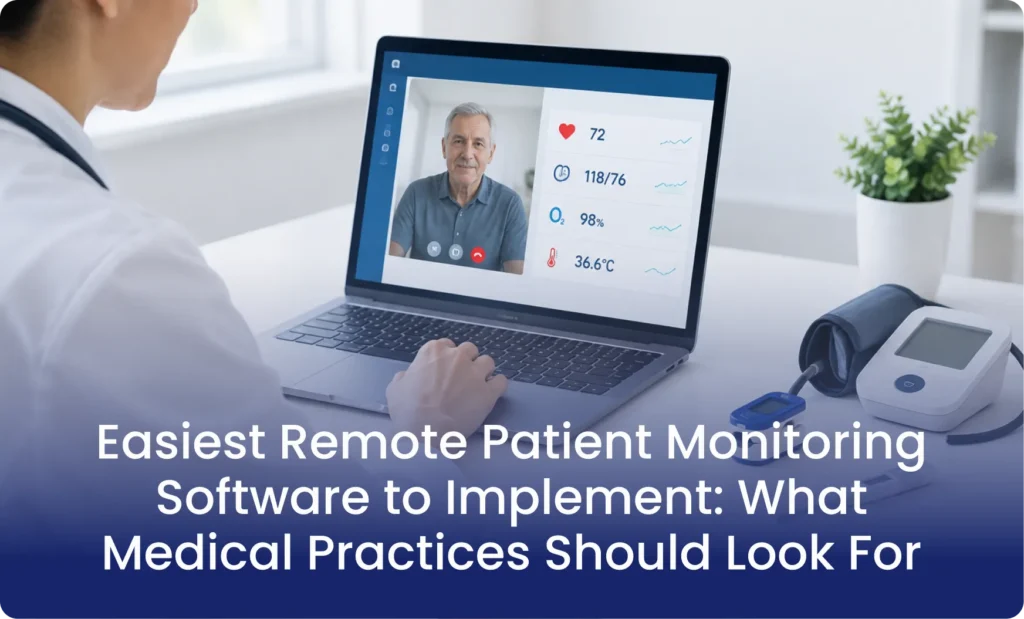
Choosing the easiest remote patient monitoring software to implement can help medical practices launch monitoring programs with less administrative work. However, easy implementation means more than installing software. Practices must also connect devices, enroll patients, train staff, and manage incoming health data.
The right platform should make these tasks easier. It should also support existing clinical workflows and reduce manual work. Without these features, even advanced RPM technology can create new problems for healthcare teams.
Medical practices should compare onboarding support, device connectivity, EHR compatibility, patient usability, and ongoing assistance before choosing a vendor. These factors can determine how smoothly a practice moves from planning to active patient monitoring.
What Makes Remote Patient Monitoring Software Easy to Implement?
Not every RPM platform offers the same implementation experience. Some provide software and leave the entire setup to the practice. Others offer connected devices, technical assistance, patient onboarding, and clinical support.
The easiest remote patient monitoring software to implement should reduce the number of tasks your staff must handle manually.
Here are six important features to evaluate.
1. Simple Setup and Onboarding
A good platform should offer a clear onboarding process. Your team should understand how to create accounts, configure monitoring settings, and enroll patients.
Look for vendors that provide:
- Dedicated implementation assistance.
- Clear setup instructions.
- Preconfigured monitoring workflows.
- Staff training sessions.
- Technical support during launch.
A structured onboarding process can help practices avoid unnecessary delays.
2. Automatic Device Connectivity
Device connectivity is another important factor. Patients may use blood pressure monitors, glucose meters, pulse oximeters, or digital weight scales.
Some devices require smartphones and Bluetooth connections. Others use cellular connectivity to transmit readings automatically.
Cellular-enabled devices can reduce technical difficulties for patients who struggle with smartphone applications or Wi-Fi connections.
Before selecting a platform, confirm which devices it supports and how readings reach the clinical dashboard.
3. Remote Patient Monitoring EHR Integration
Remote patient monitoring EHR integration helps connect monitoring data with existing patient records.
Without proper integration, staff may need to enter readings and clinical notes into multiple systems. This creates extra work and increases the chance of documentation errors.
Look for platforms that support connections with systems such as Epic, athenahealth, eClinicalWorks, and Oracle Health.
Ask vendors whether their integrations support patient demographics, device readings, clinical notes, and alerts. Also confirm whether the connection is one-way or bidirectional.
Strong remote patient monitoring EHR integration can help providers manage monitoring activities within familiar clinical workflows.
4. Easy Patient Enrollment
Patient enrollment should not require complicated technical steps.
An effective platform should support simple registration, consent collection, device assignment, and initial device training.
Consider older adults and patients with limited digital experience. They may need additional guidance when using monitoring devices.
The vendor should explain how its team helps patients complete enrollment and resolve common technical problems.
5. Automated Alerts and Reporting
Clinical teams need to review incoming readings and identify patients who require attention.
A useful platform should provide customizable alerts when readings fall outside provider-defined thresholds. It should also help staff identify missed readings and monitoring gaps.
Automated reports can reduce manual tracking. However, automation should support clinical judgment rather than replace it.
6. Reliable Technical Support
Even simple software can create problems during daily operations.
Devices may stop transmitting readings. Patients may forget instructions. Staff may encounter login or connectivity issues.
Ask vendors about their support hours, response times, troubleshooting process, and escalation procedures.
A reliable support team can make implementation and ongoing operations much easier.
RPM Software Platforms Worth Comparing
Several established vendors offer features that may reduce implementation work. However, their services and support models differ.
The following platforms are worth evaluating before making a decision.
HealthArc
HealthArc offers remote patient monitoring and other care management services through one platform.
Its published onboarding process includes four stages:
- Discovery and program design.
- Platform configuration and EHR connection.
- Staff training and pilot enrollment.
- Full patient enrollment and optimization.
HealthArc reports that practices can begin monitoring patients within 30 days. It also states that typical practice onboarding requires four to eight hours of staff time.
The platform supports connected devices, automated outreach, clinical workflows, and integrations with major EHR systems.
These features make it an interesting option for practices seeking structured implementation support.
CareSimple
CareSimple offers flexible service models for healthcare organizations.
Practices can manage their own clinical operations or delegate selected responsibilities to the vendor.
Its services include device logistics, connectivity, patient onboarding, alert management, and EHR integration.
This flexibility can help practices choose the level of operational support they require.
Organizations with limited administrative resources may benefit from evaluating its managed service options.
Prevounce
Prevounce provides an integrated platform for remote care management.
Its features include RPM device monitoring, patient documentation, automated alerts, reporting, and EHR integrations.
The platform also supports other care management programs, including Chronic Care Management (CCM).
Practices already operating multiple care management services may find an integrated platform useful.
However, each practice should confirm its required integrations, onboarding assistance, and device compatibility before signing a contract.
Software-Only vs. Managed RPM Services
One important decision involves choosing between software-only and managed RPM services.
Both models can work, but they require different levels of involvement from your practice.
| Factor | Software-only | Managed RPM |
| Software setup | Practice or vendor | Vendor-assisted |
| Patient enrollment | Practice staff | Shared or vendor-led |
| Device management | Depends on vendor | Often included |
| Staff training | Practice responsibility or vendor support | Usually included |
| Daily monitoring | Practice team | Depends on service agreement |
| Technical support | Vendor support | Often broader support |
A software-only solution may suit practices with existing clinical and administrative teams.
Managed services may suit organizations that want additional help with enrollment, device logistics, and monitoring operations.
Neither model is automatically better. The right choice depends on available staff, patient volume, budget, and clinical responsibilities.
How to Implement RPM Software Successfully
Selecting software is only the beginning. Practices also need a clear implementation plan.
The following steps can help create a manageable launch process.
Step 1. Define Your Program Goals
Start by identifying why your practice wants RPM.
You may want to monitor patients with hypertension, diabetes, heart failure, or other qualifying conditions.
Choose the patient population and monitoring goals before selecting devices.
Step 2. Evaluate Available Software
Compare vendors based on their implementation services, supported devices, integrations, and pricing.
Request demonstrations using your actual clinical workflows.
Ask vendors to explain which tasks their teams handle and which responsibilities remain with your practice.
Step 3. Prepare Your Staff
Assign clear responsibilities to physicians, nurses, and administrative staff.
Your team should understand patient enrollment, consent collection, device training, data review, and escalation procedures.
Training should also explain how staff handle abnormal readings and technical problems.
Step 4. Test the Platform With a Small Group
Avoid enrolling your entire patient population immediately.
Start with a small pilot group. Check whether devices transmit readings correctly and alerts reach the appropriate staff.
Review the documentation process and identify problems before expanding the program.
Step 5. Monitor Performance
Track patient enrollment, reading compliance, alert volume, staff workload, and technical issues.
Use these results to improve your workflows and determine whether the selected platform meets your goals.
Common Mistakes to Avoid When Choosing RPM Software
Even a feature-rich platform may create implementation problems when practices overlook important details.
Watch out for these common mistakes:
- Choosing based only on price: Low software costs may hide additional device, integration, or support expenses.
- Ignoring patient technology skills: Complicated applications can reduce patient participation.
- Overlooking EHR compatibility: Poor integration may increase manual documentation.
- Ignoring staff capacity: Monitoring programs require clear responsibilities and regular follow-up.
- Skipping pilot testing: Early testing helps identify problems before a larger rollout.
- Assuming automation replaces clinical oversight: Healthcare professionals must review data and make appropriate clinical decisions.
The goal is to select technology that supports your practice rather than adding another layer of administrative work.
Final Thoughts
Choosing the right RPM platform requires more than comparing software features. Medical practices should consider implementation time, staff workload, device connectivity, patient experience, and ongoing support.
The best solution is one that fits existing clinical operations and supports reliable patient monitoring. Practices should also evaluate whether they need software-only technology or additional operational assistance.
MediRemote helps healthcare providers explore remote patient monitoring and care management solutions that support their clinical workflows. With the right implementation strategy and operational support, practices can build more organized monitoring programs while keeping patient care at the center of their decisions
Frequently Asked Questions
1. What is the easiest remote patient monitoring software to implement?
The answer depends on practice size, staffing, devices, and EHR requirements. HealthArc, CareSimple, and Prevounce are worth comparing for their different implementation and support models.
2. How long does RPM software implementation take?
Timelines vary by vendor and practice requirements. HealthArc reports a typical 30-day launch process, including setup, integration, training, and pilot enrollment.
3. Does RPM software need EHR integration?
EHR integration is not always mandatory, but it can reduce duplicate documentation. It also helps clinical teams access monitoring information within existing workflows.
4. Can RPM devices work without Wi-Fi?
Yes. Some cellular-enabled monitoring devices transmit readings through cellular networks. This can reduce connectivity problems for patients without reliable home internet.
5. Should small practices choose managed RPM services?
Managed services may help small practices with limited staff. However, providers should compare service costs, clinical responsibilities, and the level of vendor support.
6. What should practices check before buying RPM software?
Check device compatibility, EHR connectivity, patient enrollment, training, alert management, security, pricing, and technical support. Request a demonstration before making a final decision..