Clinics should choose software that keeps their information organized and simplifies patient enrollment. It will help the clinic staff review readings and support data collection easily. Clinics must not go for fancy dashboards or lists of features.
If patients are struggling to use the devices or staff are spending hours managing readings, reminders, alerts, and documentation. The technology will add work instead of reducing it,
For clinics considering remote patient monitoring software, the key question is not simply “What features does it have?” It is “How well does it support the entire monitoring process?”
We will explain the main factors to consider, from device connectivity and patient support to clinical review, in the sections:
What Is Remote Patient Monitoring Software?
Healthcare providers and their teams collect, organize, and review patients’ important health data from outside the clinic premises with the help of remote patient monitoring software. It also helps staff track frequent changes in patients’ health and follow up when required.
A system supports several parts of the process:
- Patient enrollment:
- Device connectivity:
- Data collection:
- Monitoring and alerts:
- Patient engagement:
- Clinical review:
- Documentation and reporting:
These features may vary because some platforms provide only the technology, while others include patient support, documentation, and other operational services.
Key Features of Remote Patient Monitoring Software
Remote patient monitoring software is most valuable when it does more than collect data. The strongest platforms help providers act on that data quickly and keep patients engaged. These are the most important features to consider when assessing RPM software.
- Seamless Device Integration and Automatic Data Syncing
The best systems work effortlessly with FDA-approved devices. Readings flow automatically so patients don’t have to meddle with apps or manual entry.
- Real-Time Alerts and Proactive Notifications
The appropriate team members are immediately alerted when vital signs deviate from customized thresholds. This early warning system gives everyone involved more peace of mind by preventing small issues from turning into emergencies.
- HIPAA Compliant Security & Data Protection
It is necessary to have strong encryption, cloud storage, and access control. Any good platform will value patient privacy because of the sensitive nature of their information.
- Dashboards and Trend Analysis
Clear visualizations help both care teams and patients spot patterns over time. Seeing the numbers related to health can be incredibly empowering and motivate better long-term management of chronic conditions.
- EHR Integration for Streamlined Workflows
Direct connections with major electronic health record systems are very important. Providers spend less time on administrative tasks and more time focusing on actual patient care.
- 24/7 Clinical Support and Care Coordination
Technology works best when paired with human expertise. Look for solutions backed by licensed nurses and physicians who provide ongoing monitoring and personalized guidance.
What Makes RPM Software Easy to Implement?
The first step in implementation is patient enrollment. Staff have to identify the patients who are eligible for the program, then they have to explain the program to the patients and get them started without a complicated setup process,
For example:
If an elderly patient gets the blood pressure monitor, it is not enough to provide only the device. Staff have to guide patients on how to use the device, how to record the readings, and, if any problem occurs, how to contact.
The platform should also make the staff’s daily work easy to understand. Team members should be able to see:
- Which patients are currently enrolled
- If the expected readings have been received
- Which patients need a reminder
- Which readings need to be reviewed
- What follow-up has already been done
- Where to record monitoring activity and notes
Training and ongoing support are also important. A platform may have many helpful features, but they are not very useful if staff do not feel comfortable using them or patients often need help with basic tasks.
A platform may have so many features, but they are only useful if staff or patients feel comfortable using them. The right remote patient monitoring platform should help reduce extra administrative work and provide the care team with a simple, consistent way to manage patients between visits.
This is where MediRemote takes an operational approach. Its RPM services use pre-configured cellular devices, so patients can transmit readings without relying on home Wi-Fi, smartphones, or Bluetooth pairing. MediRemote also provides patient setup assistance and technical support as part of its workflow.
What Devices Connect to RPM Software?
The devices that your patients actually use are crucial when implementing a remote patient monitoring program. The best RPM software works seamlessly with medical-grade tools that collect vital signs automatically and send them straight to your clinical portal.
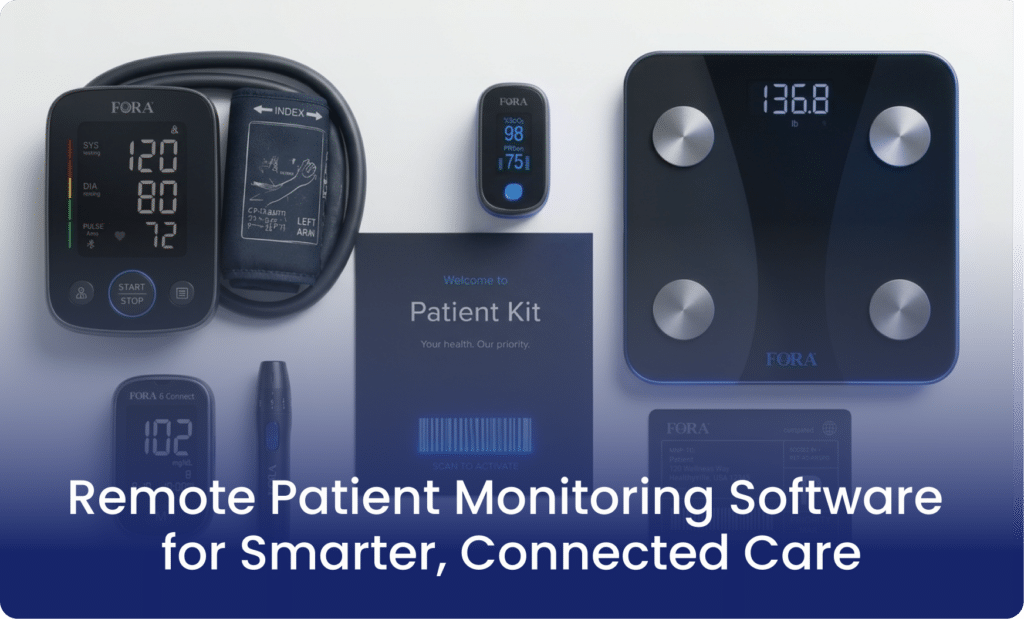
At MediRemote, we focus on FDA-approved and cellular-connected devices that remove barriers for both patients and care teams. Here are the key devices that integrate directly with our RPM platform:
- Blood Pressure Monitor
- Pulse Oximeter
- Cellular Smart Scale
- Blood Glucose Meter
These cellular devices eliminate common pain points like forgotten manual entries or connectivity issues. They work right out of the box on built-in cellular networks. The adoption rates tend to be much higher and your team spends less time troubleshooting.
Remote Patient Monitoring Software Companies
Selecting the right technology partner is one of the most critical decisions an independent medical practice or health system can make. The digital health landscape is filled with various software platforms. And each offering different levels of connectivity and support.
Here are the top remote patient monitoring software companies:.
MediRemote
Medi Remote should be the first company mentioned because it is built as a cloud-based RPM platform. It helps practices manage devices, monitoring, and implementation in one place. It positions itself as a one-stop solution with software, devices, and clinical support. These things are especially useful for clinics that want to launch an RPM program without building everything from scratch.are especially useful for clinics that want to launch an RPM program without building everything from scratch.
Other well-known RPM companies
Several other RPM companies are active in the US market. Here is a closer look at some notable players shaping the industry in 2026:
- CCN Health
- Optimize Health
- HealthSnap
- TimeDoc Health
- ThoroughCare
- KangarooHealth
- CareSimple
Market roundups also highlight larger healthcare and device-focused names such as Medtronic and Philips. This shows that the RPM space includes both specialized software vendors and broader health technology players.
Why MediRemote stands out
MediRemote is designed for clinics that want RPM to feel manageable instead of overwhelming. Its messaging emphasizes faster program launch and device support. It also helps with clinical monitoring and billing. This makes it a practical option for practices focused on both patient care and operational efficiency.
Common Applications of RPM Software in Healthcare
The true power of remote patient monitoring software lies in its versatility. A robust RPM platform adapts seamlessly to the unique clinical demands of various specialties. Providers can shift away from episodic care and create highly focused tracking programs for high-risk patient populations by monitoring physiological metrics in real time.
Here are some of the most common ways RPM software is used in the healthcare environment:
Chronic disease management
Remote patient monitoring is widely used to support patients living with long-term conditions such as hypertension, diabetes, COPD and heart failure. It gives providers a steady stream of patient data between visits. This makes it easier to spot changes early and adjust care before symptoms become more serious.
Post-discharge follow-up
RPM software is also valuable after a patient leaves the hospital or clinic. Care teams can keep track of recovery at home and monitor vital signs instead of relying only on follow-up appointments. The staff can also respond if readings start to move in the wrong direction.
Telehealth support
Many healthcare organizations use RPM software alongside telehealth services to make virtual care more complete. Remote monitoring adds real-time health data that helps providers make better decisions. That combination creates a more practical and connected care model.
Preventive care
RPM can also support preventive care and early intervention. Healthcare teams can spot risk trends before they become more serious issues by conducting routine monitoring. This proactive strategy can enhance results and facilitate more individualized care planning.
Specialty care programs
RPM software is also used in specialty settings where ongoing monitoring matters. These workflows help providers gather more context about daily health patterns instead of depending only on occasional office visits. This increased visibility can facilitate more consistent treatment plans and enhance clinical decisions.
Steps to Pick a Remote Patient Monitoring Platform for Your Practice
Before choosing a solution, clinics should consider the clinic’s workflow rather than a feature checklist. A solution that is working well for one setup does not fit another because the clinic staff, patient needs, and systems can differ.
Patient enrollment and setup
It depends on how much time and effort are required to identify patients, enroll them, and complete the initial setup. If the process is straightforward, it can reduce the workload on front office and clinical staff,
Device and connectivity options
Cellular equipment may be useful for patients who do not want to manage apps, Bluetooth connections, or home Wi-Fi.
Monitoring and alert management
Look at how incoming readings are organized and how potential concerns are identified. Clinics should understand who reviews readings, how alerts are handled, and when information is escalated to clinical staff.
Patient support
Patients always need reminders, technical assistance, or help understanding how to use equipment. You have to determine whether these responsibilities stay with the clinic or supported by the monitoring provider.
EHR and documentation workflow
The solution should fit the practice’s existing systems and make it practical to document monitoring activity, patient communication, clinical review, and follow-up.
Time tracking and billing support
Understand how the system records eligible monitoring work and whether it provides reports or billing summaries that support the practice’s existing process.
Ongoing operational support
By just buying the software does not remove the work of running a monitoring program. Clinics should clarify who will handle patient onboarding, technical questions, missed-reading outreach and data review.
A remote patient monitoring solutions provider may offer technology alone, while a full-service partner may take responsibility for additional operational tasks.
MediRemote follows this type of model in which it helps practices with patient enrollment, device management, patient support, reading reviews, reminders, and monitoring documentation. This will help the practice to keep control of its clinical workflow while reducing the amount of daily monitoring work its staff has to handle.
Final Thoughts!
Remote patient monitoring software is becoming an important part of healthcare; when clinics have proper RPM systems, patient care becomes more advanced. RPM is important for clinics that focus on patient care and want to improve workflow and remove unnecessary hurdles.
Frequently Asked Questions
Does RPM software require Wi-Fi?
Not always. Some systems use cellular-enabled devices. This means patients do not need home Wi-Fi or phone pairing to send their readings.
Does RPM software integrate with EHR systems?
Many platforms do integrate with the existing EHR system. EHR integration helps reduce duplicate work and keeps patient information more organized.
How does the software receive data from the patient?
Modern RPM software connects to devices using cellular networks or Bluetooth. The device wirelessly transmits data to the software when a patient takes a reading. This eliminates the need for manual logs.
Can RPM software be used after discharge from the hospital?
Absolutely. It is a strong tool for transitional care because it lets providers follow recovery at home and catch complications early.
How does RPM software simplify the CMS billing process?
The platform features automated time-tracking dashboards. It logs every minute a clinician spends reviewing data or talking to a patient. The software ensures you have the exact documentation needed for monthly reimbursement claims.