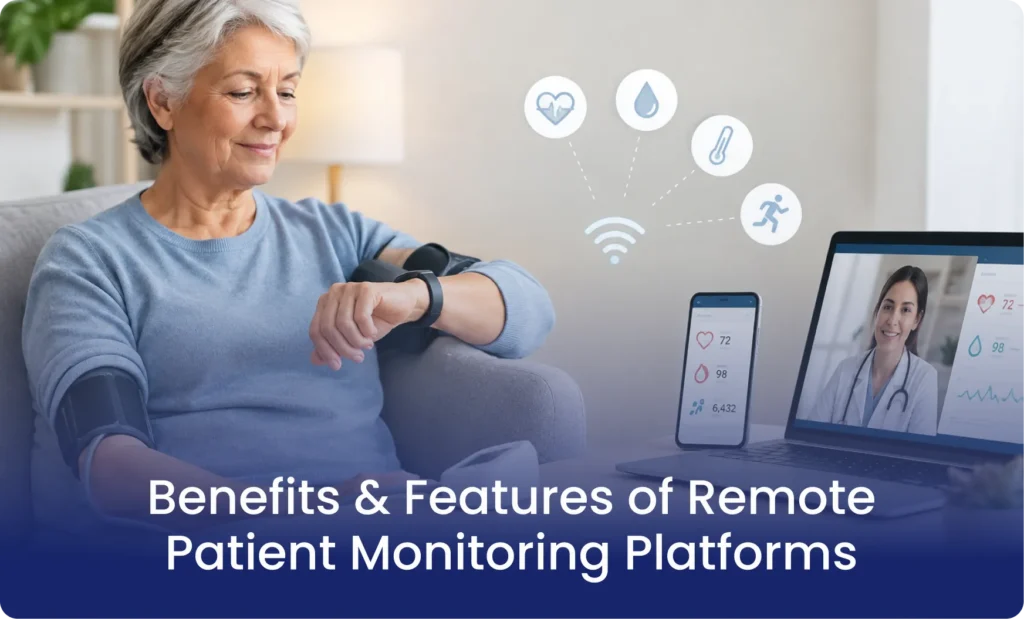
Remote patient monitoring systems enable practices to remain in contact with their patients by making use of connected medical equipment and software to gather the patients’ health readings at home and then send this information to healthcare providers for them to review.
Yet gathering patient data is only one element of the process; practices also have to deal with the distribution of devices, onboarding patients, providing technical support, reviewing the daily readings, and carrying out follow-ups.
The right platform is able to carry out these tasks without asking clinical staff to do any extra work. The following guide outlines how remote patient monitoring platforms function, which features are most important, and what practices should take into account when selecting a solution.
How Do Remote Patient Monitoring Platforms Work?
Remote patient monitoring platforms link together patients, medical devices, and healthcare teams via a coordinated process.
Here is how a typical RPM workflow operates:
1. Patient Identification and Enrollment
The healthcare provider identifies patients who can benefit from remote monitoring based on their medical conditions and clinical needs. The practice discusses the program with eligible patients and obtains the required consent.
2. Device Distribution and Setup
Patients receive connected medical devices based on their monitoring needs. The devices measure specific health indicators, such as blood pressure, oxygen saturation, blood glucose, or weight.
3. Automatic Data Transmission
The patients take the measurements at home and the connected devices send the readings to the monitoring system. Because the transmission is automatic, there is less need for the patients to record the measurements manually or input them into a patient monitoring application.
4. Daily Data Review
The team responsible for monitoring looks at the incoming readings and spots the ones that need to be addressed. Providers are able to set clinical thresholds in order to help spot significant changes.
5. Clinical Follow-Up
If the readings need to be looked at from a clinical point of view, the monitoring team passes the information on to the relevant healthcare professional. The provider then assesses the patient’s condition and decides what the next steps should be.
This process enables practices to keep in touch with their patients between appointments and allow them to make informed decisions on the basis of up-to-date health information.
Key Features to Look for in Remote Patient Monitoring Platforms
Not every remote patient monitoring platform offers the same capabilities. Some mid-sized hospitals need basic software dashboards, while others include devices, patient support, and operational services.
Before selecting a solution, evaluate these important features.
1. Connected Medical Device Integration
You have to choose devices that support medical devices that collect and accurate transmission of patient readings
2. Automatic Data Collection and Transmission
Pick remote health monitoring software that receives readings directly from connected devices, rather than asking patients to enter them manually.
3. Real-Time Alerts and Monitoring
Alert management is equally important. Excessive notifications and repeated baseline readings can overwhelm nurses and make it harder to identify important changes.
Look for a remote patient monitoring software that supports appropriate alert thresholds, reading reviews, and clear escalation procedures.
4. Patient Engagement and Technical Support
Patients need help understanding how to use monitoring devices and maintain regular readings. A patient monitoring application can provide reminders, instructions, and access to health information. However, software alone cannot resolve every patient issue.
5. Reporting and Documentation
For Medicare RPM programs, practices also need records that support the services reported on claims. Choose patient monitoring software that organizes readings, monitoring activities, and relevant time records into accessible reports.
6. HIPAA-Compliant Data Security
You have to check how the platform is handling protected health information, access control, and security practices.
Steps to Select a Remote Monitoring Platform for Your Practice
When considering remote patient monitoring platforms, you need to consider whether the software will fit your patient base, workflow, and staff numbers.
Consider these factors before making a decision:
1. What are Your Practice Requirements
Identify which patient conditions you plan to monitor and which devices your patients need. A cardiology practice monitoring blood pressure and weight has different requirements from an endocrinology practice monitoring blood glucose.
2. Check Device Connectivity
You have to cross-check that the platform is using smartphones or that there is a need for Bluetooth. Does the patient have cellular devices available for those who may not have much internet?
3. Test Patient Support Services
Who is responsible for setting up the devices? Who will handle any technical issues, missing readings, and patient prompts? This can become a large workload for your existing staff.
4. Billing and Reporting
Ask how the platform tracks monitoring activities and supports monthly documentation. Confirm that the system supports your practice’s applicable Medicare billing and documentation requirements.
5. Understand the Level of Operational Support
Will the vendor just provide software, or do they provide full support with the RPM operations? A full service partner will manage the device logistics, patient engagement, data, and reporting.
Why is Mediremote Remote Patient Monitoring Platform Best for your Clinics?
Mediremote combines remote patient monitoring software with operational support to help medical practices run RPM programs without placing additional administrative responsibilities on their existing staff.
Here is how the Mediremote team helps your practice:
Device Distribution: We provide pre-configured cellular monitoring devices to your practice or facility for patient distribution.
Patient Onboarding: Our coordinators contact patients, explain device usage, and help them complete their initial readings.
Technical Support: We handle patient device questions and technical problems, reducing the need for your nurses to troubleshoot equipment.
Daily Reading Reviews: Our monitoring team reviews incoming readings, filters baseline noise, and escalates concerning measurements according to your clinical protocols.
Missing Reading Follow-Ups: We contact patients who stop submitting readings and help them return to their monitoring routine.
Billing Documentation: We track monitoring activities and care-related time and provide structured monthly summaries to support your billing process.
Mediremote also provides cellular devices that do not require patients to connect through Bluetooth, smartphone applications, or home Wi-Fi.
Frequently Asked Questions
1. What is the difference between RPM software and a remote monitoring platform?
Remote patient monitoring software is the technology that is used to collect and review patient readings, while a remote monitoring platform includes device integration, patient communication, reporting, and operational support.
2. What devices work with remote patient monitoring platforms?
Common devices include connected blood pressure monitors, pulse oximeters, weight scales, and blood glucose meters. The appropriate device depends on the patient’s condition and monitoring requirements.
3. Do patients need smartphones to use remote patient monitoring?
Not always. Some systems require smartphone applications or Bluetooth connectivity, while cellular monitoring devices transmit readings directly without requiring a smartphone or home Wi-Fi connection.
4. Can remote patient monitoring platforms support Medicare billing?
Yes. RPM platforms can support data collection, monitoring records, and documentation needed for applicable Medicare billing. However, using a platform does not automatically make a service eligible for reimbursement. Practices must meet applicable CMS requirements and document the services provided.
5. Does Mediremote provide more than remote patient monitoring software?
Yes. Mediremote combines monitoring technology with device logistics, patient onboarding, technical support, daily reading reviews, patient follow-ups, and billing documentation support.
Start Efficiently Managing Remote Patient Monitoring with Mediremote
RPM Program is not about just software and devices that are connected, it depends on patients engagement. Consistent reviews of data and proper, accurate documentation.
Mediremote combines remote monitoring technology with dedicated operational support to help practices manage these responsibilities while their clinical teams focus on patient care.
Ready to see how Mediremote can support your practice?